Xenice SEO — Lightweight WordPress SEO

Xenice SEO — Lightweight WordPress SEO

If you want simple SEO control without the complexity of Yoast or Rank Math,
Xenice SEO gives you exactly what you need — and nothing you don’t.

== Screenshots ==

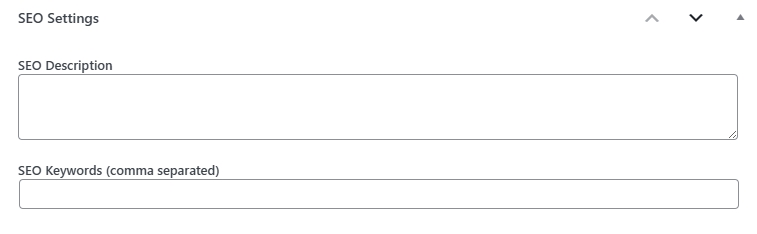
  1. SEO fields under post editor.
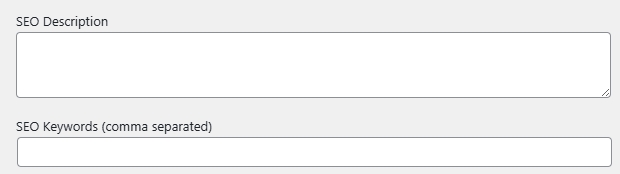
  2. SEO fields for categories or tags.
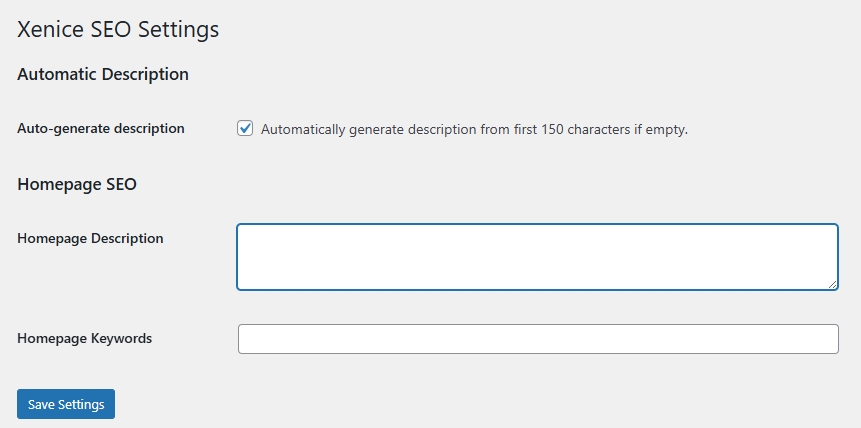
  3. Global settings page in WordPress admin.

== Installation ==

  1. Download and unzip the plugin.
  2. Upload the folder xenice-seo to /wp-content/plugins/.
  3. Activate it from the Plugins page in your WordPress dashboard.
  4. Go to Settings → Xenice SEO to configure.

== Frequently Asked Questions ==

= Does it support custom post types? =
Yes, Xenice SEO automatically adds SEO fields to all public post types.

= Does it conflict with Yoast or Rank Math? =
No. Xenice SEO only manages <meta name="description"> and <meta name="keywords"> and does not override the <title> tag.

= Can I auto-generate descriptions? =
Yes. If enabled, Xenice SEO will automatically generate a description from the first 150 characters of post content when none is provided.

= Is it translation-ready? =
Yes, it supports standard WordPress translation functions (__() and _e()).

== License ==

This plugin is free software; you can redistribute it and/or modify it under the terms of the GNU General Public License version 2 or later.

Leave a Reply

Your email address will not be published. Required fields are marked *